
Artwork
Choose from our extensive range of artwork or combine multiple elements together to create something unique.
Adding artwork to your design
In the Design Lab, select DESIGNS, then select the space where you want to add the artwork.
Select ADD ART.
Select the category your would like to view. Scroll through the artwork or use the search bar to narrow down the options
Select your chosen artwork.
Use the tools in the artwork menu to:
Change colors.
Add outlines.
Some artwork or text within the artwork may be too small to add outlines. We will check the outlines during our Design Review and let you know if we need to make any changes.
Flip artwork.
Grouped Artwork
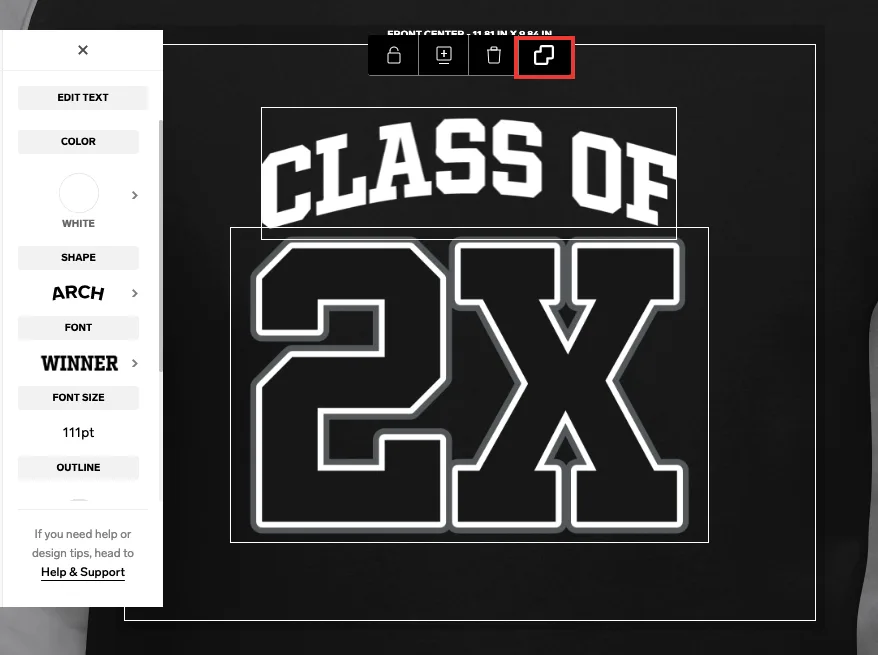
Some artwork contains multiple elements that have been grouped together. When they are added to your design they will be grouped together as one design element.
Each element will have a white box around it. You can edit the elements all together by leaving them grouped, or separately by ungrouping or selecting the individual element.
Select the grouping icon to group or ungroup elements.
For more information see our Guide to Layout and Placement.