
Getting started
We make getting started on your design simple with our range of easy-to-use design tools.
Get started with Quick Colour
Our quick colour tool helps you visualise what’s possible by displaying our products in your chosen colour scheme. Colour locations are a sample only - start designing to explore your preferred colour locations or style patterns.
To use quick colour:
Navigate to the All Products page.
Select the QUICK COLOUR on the right side of the screen.
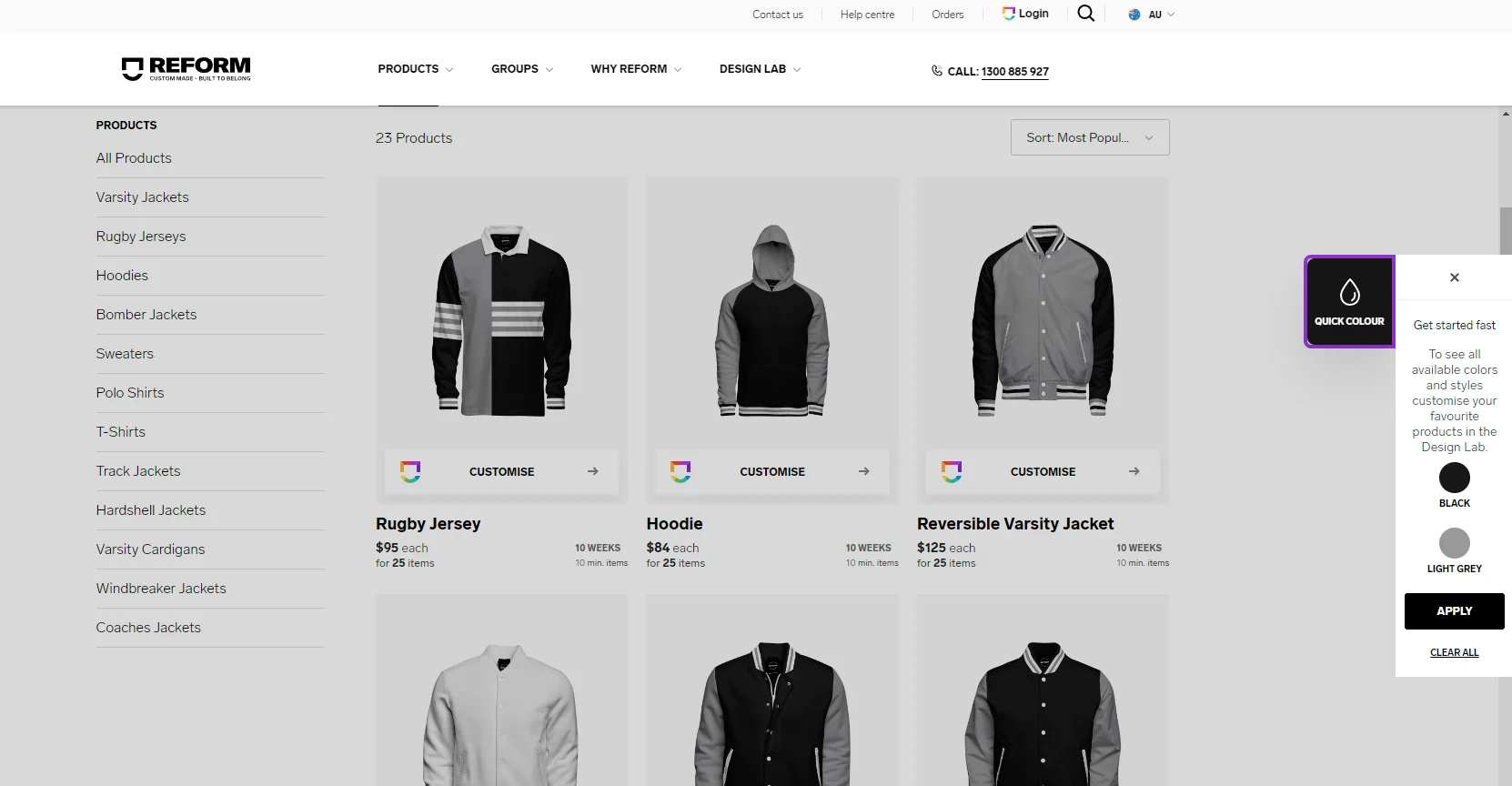
Select COLOUR 1 and choose the primary colour you would like on your garments.
Select COLOUR 2 and choose the secondary colour you would like on your garments.
Select APPLY and watch the product images change to your chosen colours.
Note: Some products will show White as the third colour to highlight features such as ribbing. This - along with the set colours - can be changed when you start designing.
Unleash your creativity in the Design Lab
The Design Lab is where you can create the perfect design to represent your group.
To get started in the Design Lab:
Find the product you wish to design on from our extensive range on the All Products page.
Select CUSTOMISE on your chosen product.
Select EDIT DESIGN to view the product in the Design Lab.
If you have selected quick colours, the product will have your colours already loaded. Otherwise, use the COLOUR menu to set or change the colours.
Use the DESIGNS menu to add artwork, your logo, text, and custom names or numbers to your design. For further information on all the tools in the Design Lab, see Navigating the Design Lab.